
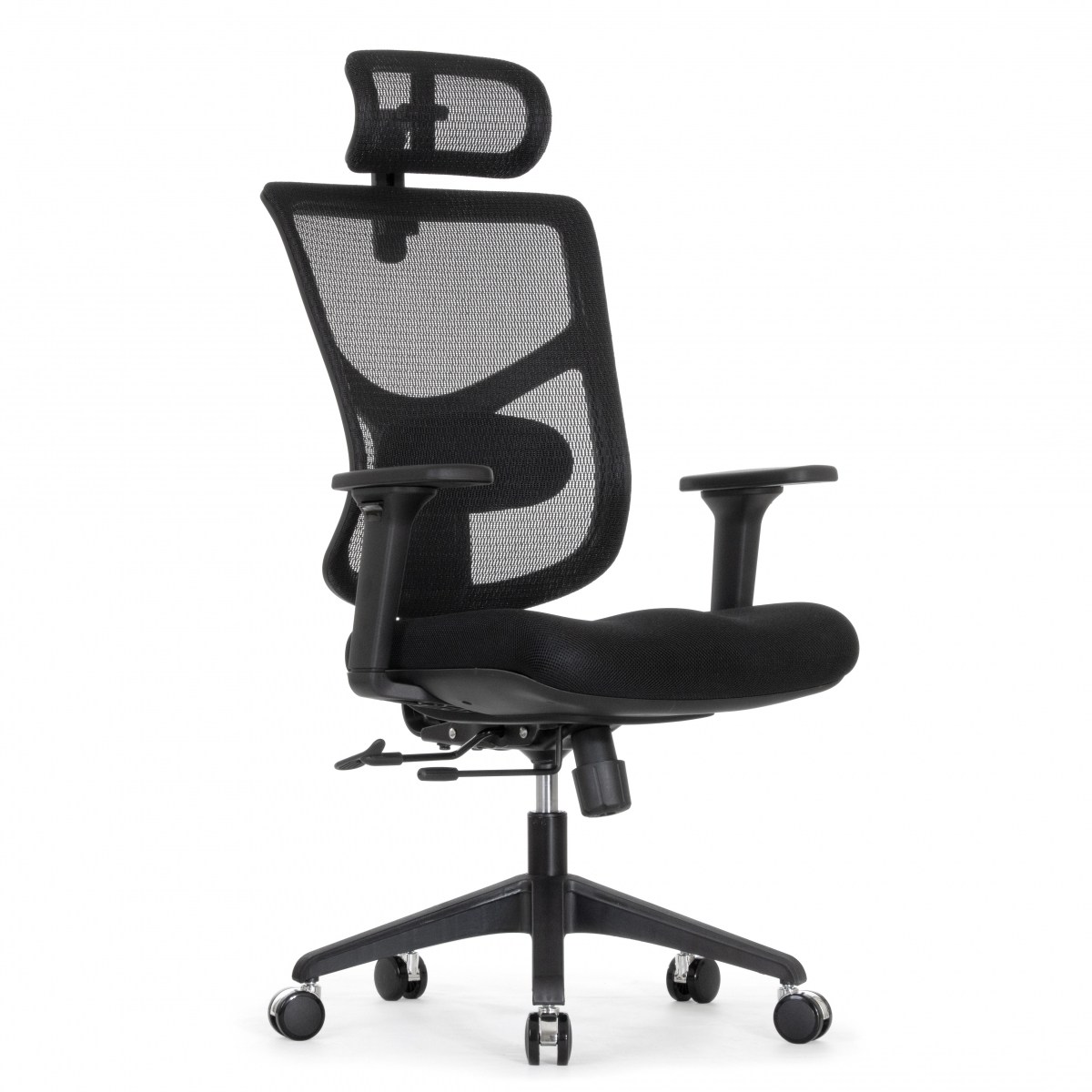
FALTO Star Office Ergo 3 Pro comes first in the source sales data. It pairs a padded fabric seat with a mesh back and adjustable lumbar support.
A long day at the computer makes small fit problems harder to ignore. The front edge of the seat may press behind the knees, or the armrests may prevent the chair from moving close enough to the desk. Check seat depth, lower-back contact and forearm position before trying the other adjustments.
The ten models come from the FALTO assortment and include chairs from Sihoo and Ergohuman. The options include padded fabric, tension-adjustable mesh and backs with a lumbar section that moves with you.
Which chairs are included
This guide covers chairs for a full computer workday at home or in an office. Photos show catalogue versions and the Ozon listings point to a particular colour and configuration. Confirm the item number, headrest and any footrest before ordering.
Methodology
The source reviewed 30 model families across 61 listings from one Ozon seller, as of 19 November 2026. The shortlist focused on adjustable seat depth, adjustable armrests and back support that adjusts or moves with the body.
The order comes from a sales export covering 20 November 2025 through 19 November 2026. For each SKU, delivered units were multiplied by the dealer price. The SKU values were then added for each model family. This is a price-weighted measure of commercial popularity within the sample. Later returns were excluded from the calculation.
Specifications were checked against FALTO, Sihoo and RuProfi catalogues and the seller’s listings. The guide draws on published information and does not include hands-on comfort or durability tests. The OSHA workstation checklist informed the fitting guidance.
- Seat depth
A sliding seat helps you stay in contact with the back while leaving space behind the knees.
- Armrest adjustment
Adjustment helps support the forearms with relaxed shoulders at the keyboard and mouse.
- Back support
The backrest or lumbar section can be adjusted or can respond to movement.
Product shortlist
Select a participant to read the full profile. On small screens, scroll horizontally to see all columns.
| № | Participant | Main consideration |
|---|---|---|
| 1 | FALTO Star Office Ergo 3 Pro | Padded fabric seat and mesh back. |
| 2 | FALTO Star 2 Plus | Mesh seat with swivelling arm pads. |
| 3 | FALTO Sail Art 2 Style | Mesh build with lumbar support that moves with you. |
| 4 | Sihoo Doro S100 Comfort | Mesh chair with a two-part lumbar support. |
| 5 | Ergohuman 2 Ultra ST Flex | Adjustable seat mesh tension. |
| 6 | FALTO Fly 2 Air | Sectioned back with a moving lumbar panel. |
| 7 | FALTO Star Ergo 2 Flex | Swivelling armrests and separate lumbar adjustment. |
| 8 | FALTO Vista Air | Mesh seat and height-adjustable armrests. |
| 9 | Sihoo Doro S300 Prime | Two-part lumbar support and smooth recline. |
| 10 | Ergohuman 2 ST Elite Prime | Adjustable mesh tension and armrest position. |
Products in the shortlist
FALTO Star Office Ergo 3 Pro
Padded fabric seat and mesh back.
The padded seat slides forward and back. The mesh back adjusts in height and the lumbar pad has its own setting. This is a useful starting point if you prefer a cushioned seat and a mesh back.
Check before choosing: Set the depth so the lumbar pad stays in contact with your back and the front of the seat leaves room behind the knees. For the chair in black, check the load limit and recline lock positions in the manual.
FALTO Star 2 Plus
Mesh seat with swivelling arm pads.
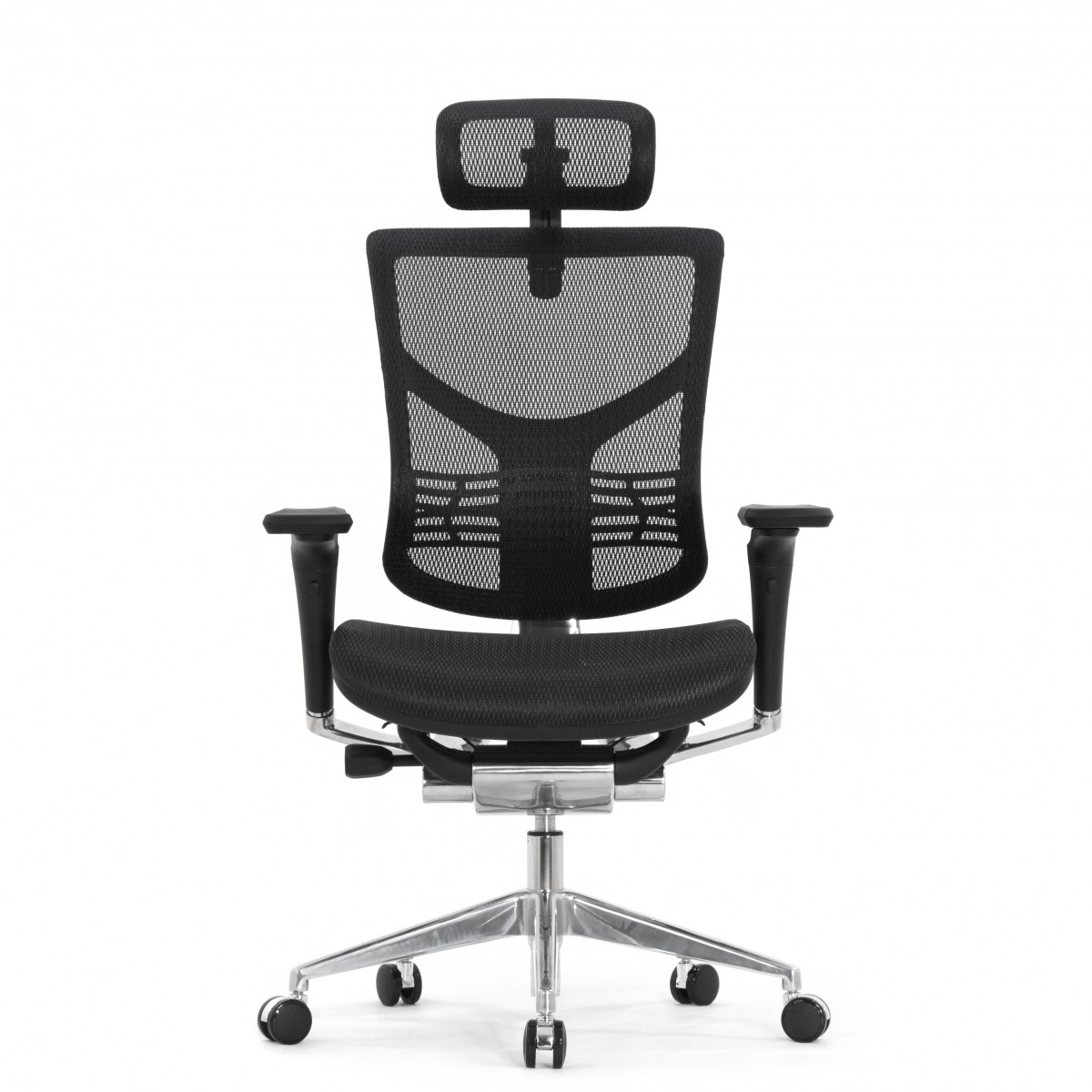
Both the seat and back use mesh. There is a sliding seat and the arm pads swivel, which helps when you switch between typing, mouse work and reading.
Check before choosing: Move close to the desk to check armrest clearance. Set back height first to position the lumbar support. Confirm the headrest supplied with this model in black.
FALTO Sail Art 2 Style
Mesh build with lumbar support that moves with you.
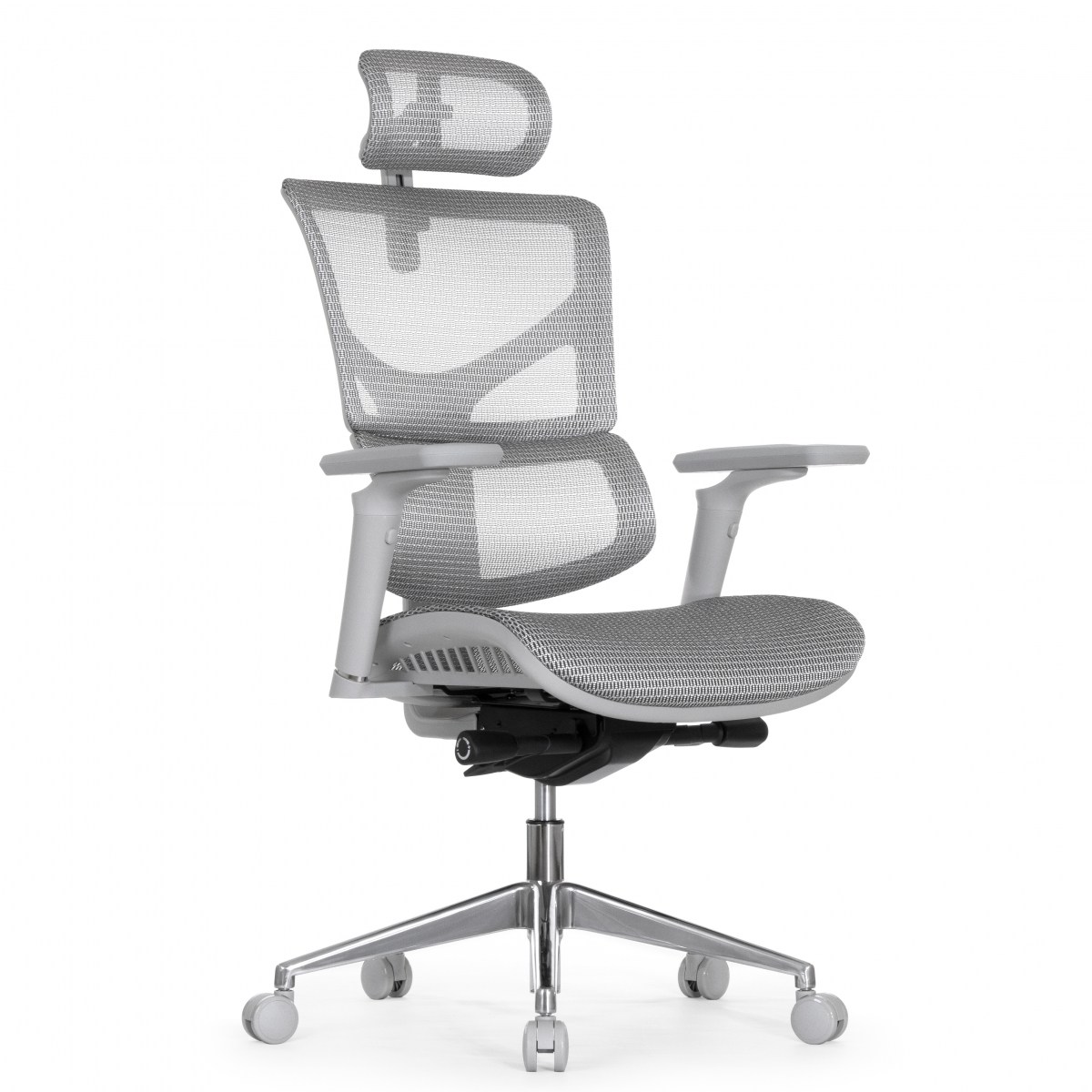
This chair pairs a mesh seat and back with adjustable armrests and a lumbar section that moves with the body. Try it if your day alternates between the keyboard and calls in a reclined position.
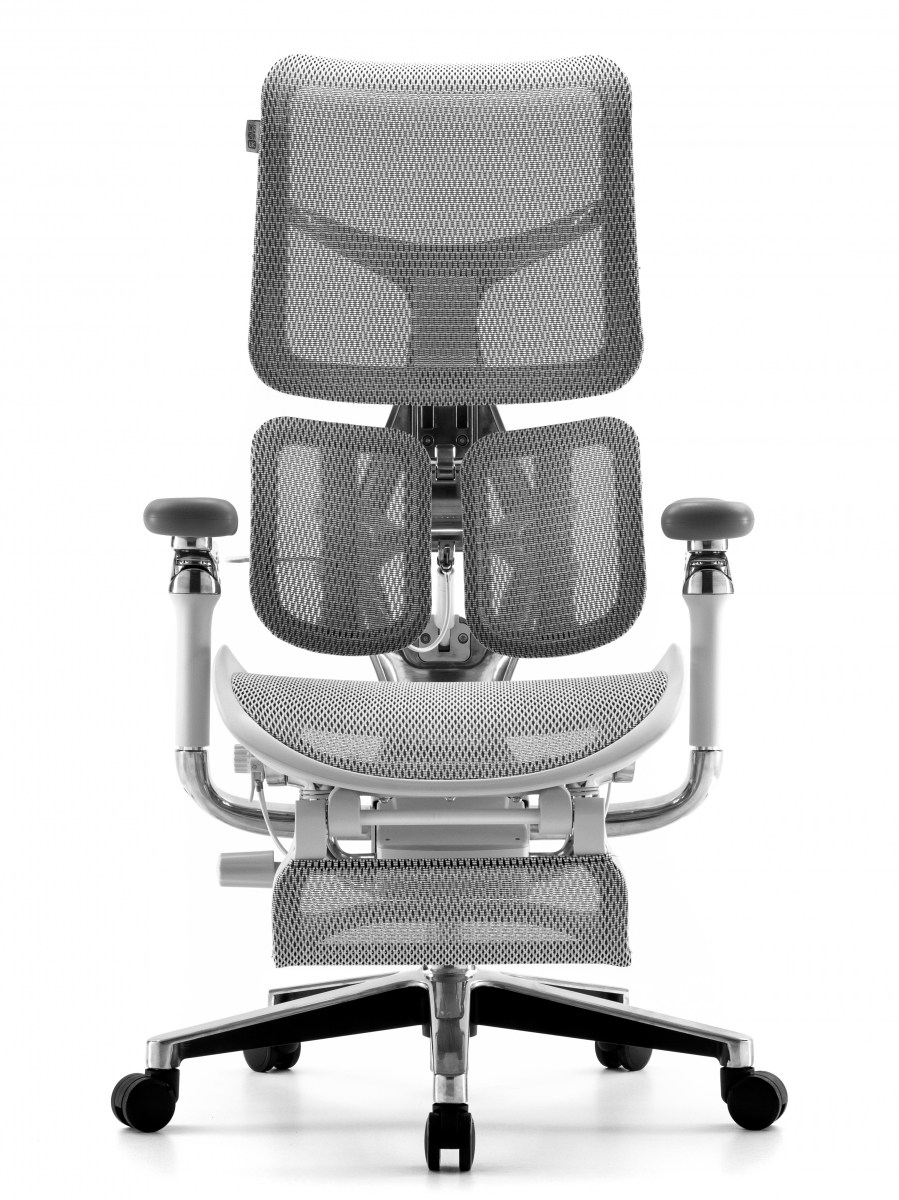
Check before choosing: Check where the lumbar section meets your back while upright and slightly reclined. The photograph shows the white chair with a grey frame from the catalogue.
Sihoo Doro S100 Comfort
Mesh chair with a two-part lumbar support.
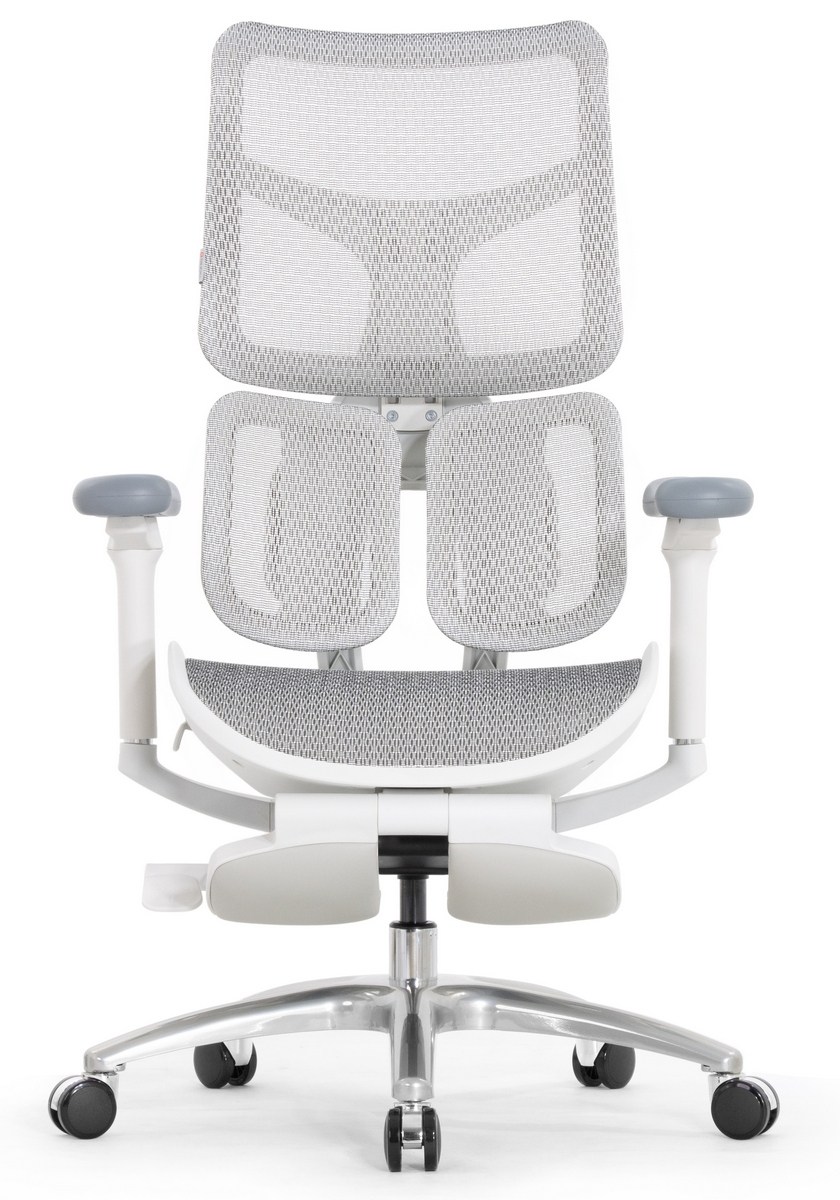
The lumbar support is split into two sections, and the mesh seat can be adjusted for depth. The tall back doubles as head support. The grey chair listing specifies a pull-out footrest.
Check before choosing: Try using the mouse and see whether both sections stay in contact with your back. Try the footrest while reclined and check your foot position at the desk separately.
Ergohuman 2 Ultra ST Flex
Adjustable seat mesh tension.
This model lets you adjust the seat mesh tension, seat depth and lumbar support. Try those settings if you find the seat on other mesh chairs too firm or too deep.
Check before choosing: Compare several tension levels at a fixed seat height, then try the preferred setting at the desk. Ozon lists this chair in black.
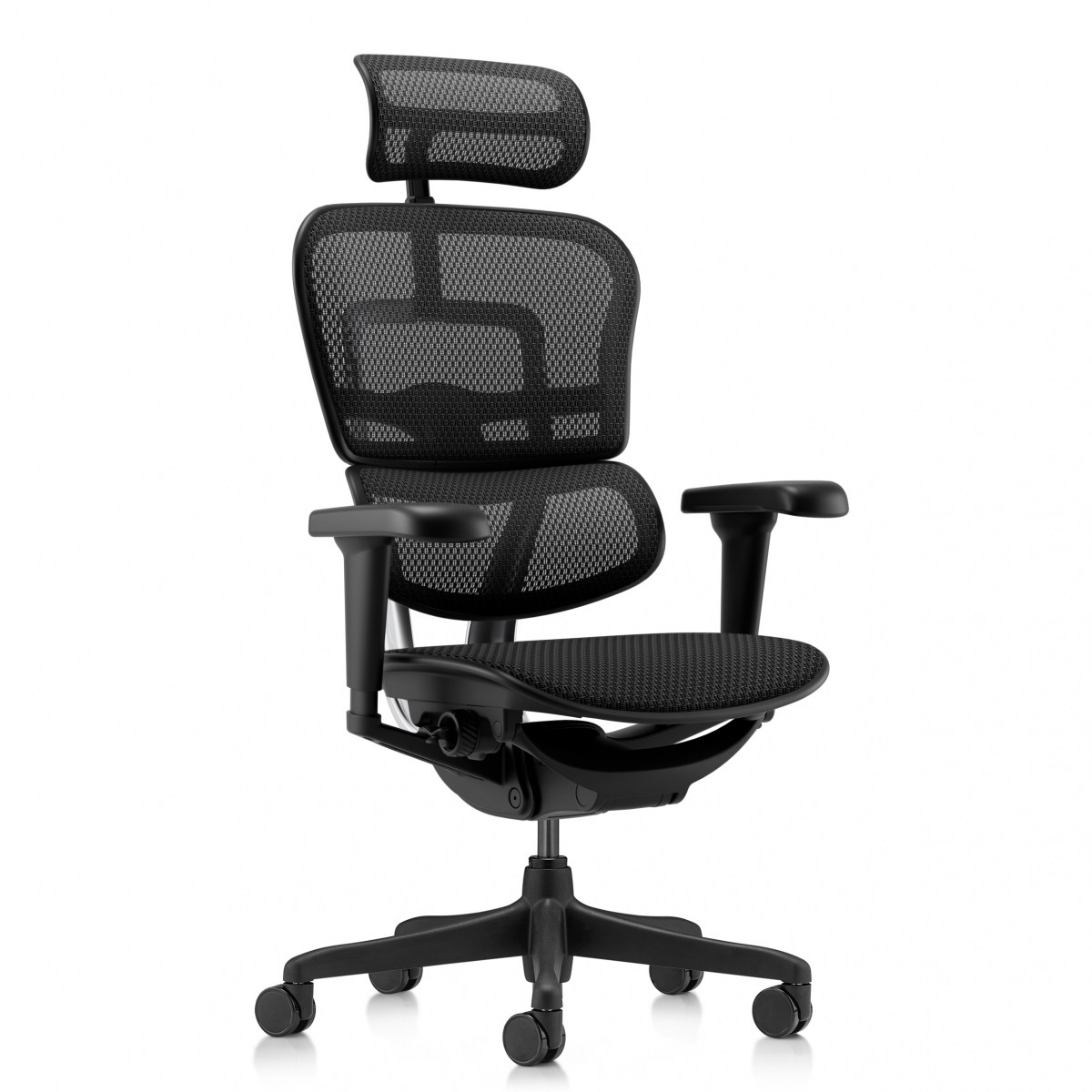
FALTO Fly 2 Air
Sectioned back with a moving lumbar panel.
The back is divided into sections and the lower panel moves with your torso. You can adjust mesh seat depth and swivel the armrests. Try it if a one-piece backrest tends to meet your lower back too high or too low.
Check before choosing: Recline slightly to check whether the lower panel stays in contact. Confirm the headrest and footrest for the chair in grey, since the range includes several configurations.
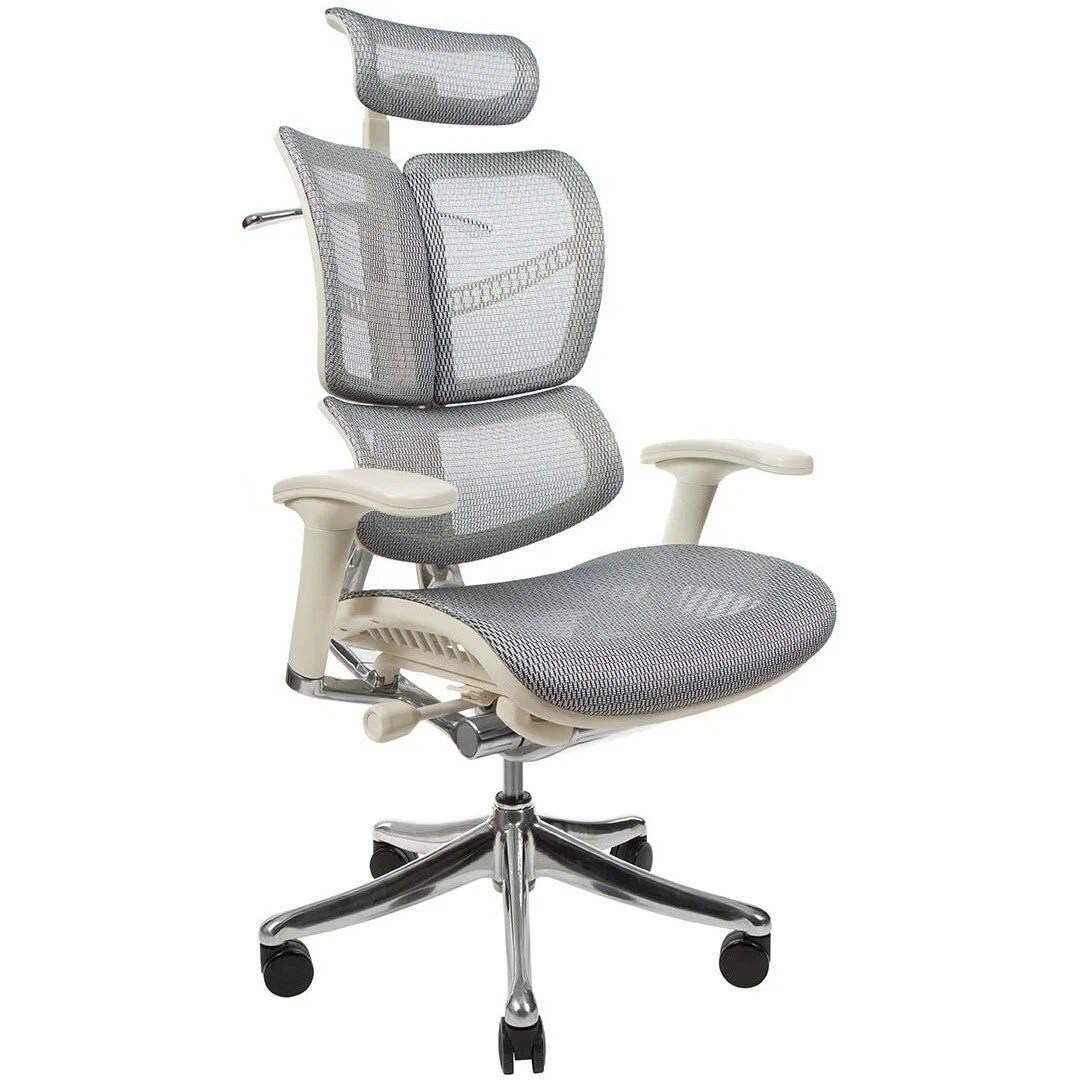
FALTO Star Ergo 2 Flex
Swivelling armrests and separate lumbar adjustment.
The chair has a mesh seat and back, adjustable seat depth and a separate lumbar setting. Compare it with the Star 2 Plus at the same desk. The main adjustments are similar, with different lumbar support designs.
Check before choosing: Check whether the lumbar pad pushes you forward after adjustment. Look up the load limit for the chair in black in the seller’s documentation.
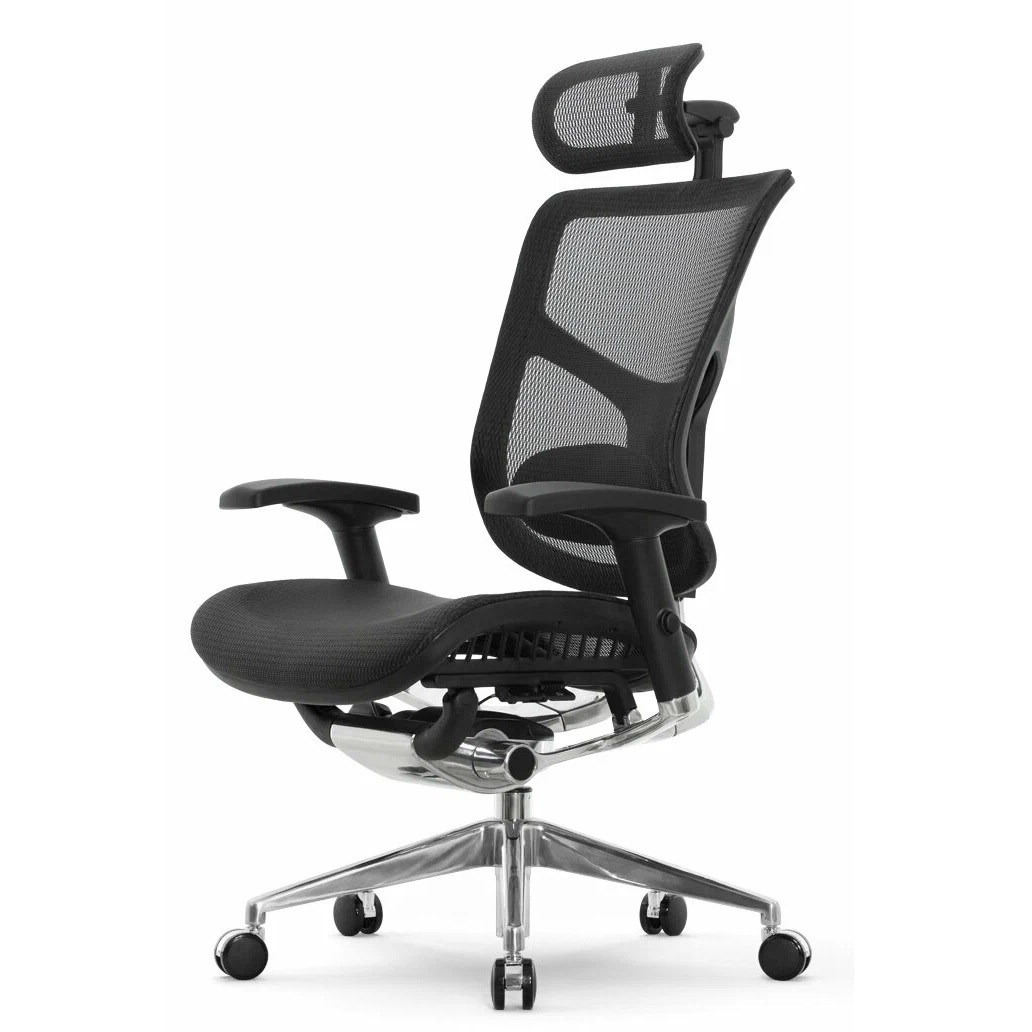
FALTO Vista Air
Mesh seat and height-adjustable armrests.
The mesh seat slides for depth, and the back includes lumbar support. The armrests on this configuration adjust in height. That may be enough at a fixed desk if the pads support your forearms without making you raise your shoulders.
Check before choosing: Try your usual keyboard position. The photograph shows the chair with grey mesh and a black frame. Check the manual for the load limit.
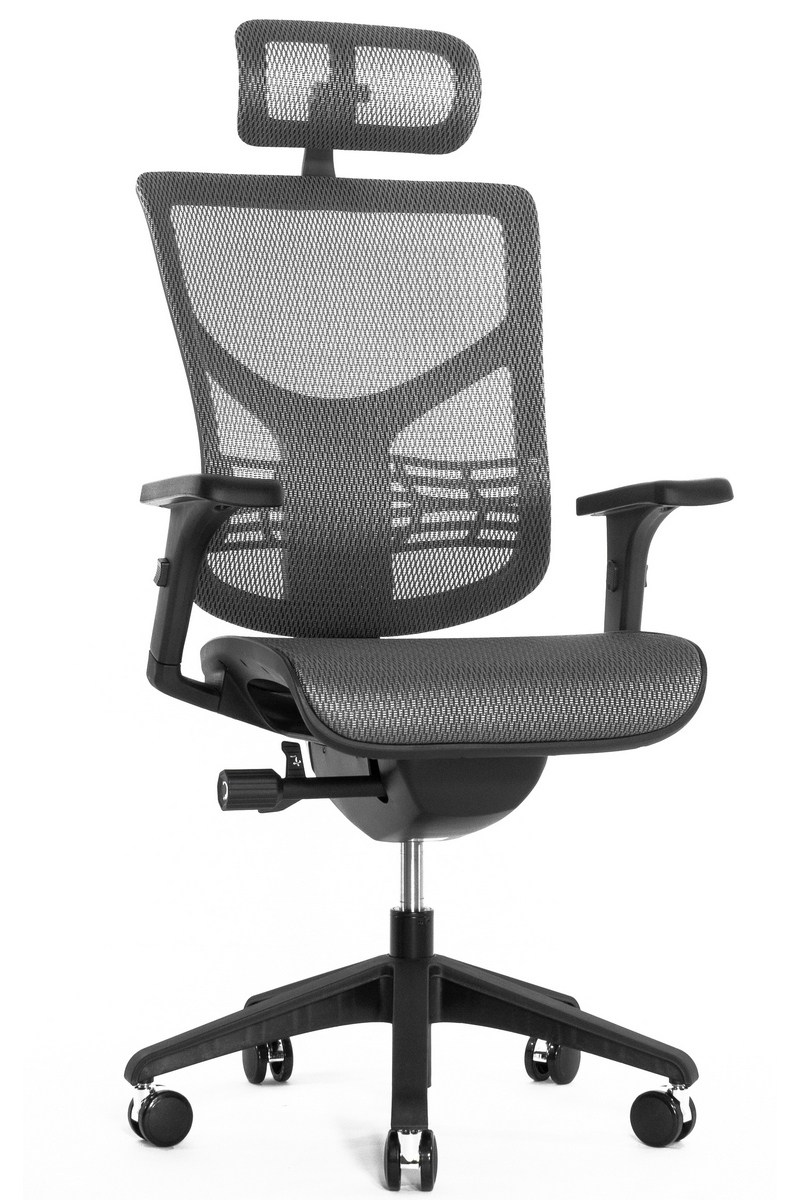
Sihoo Doro S300 Prime
Two-part lumbar support and smooth recline.
The mesh seat slides for depth and the split lumbar support is adjustable. The chair reclines smoothly, and the listing for the chair in white includes a footrest. It is an option if you often recline to read or talk.
Check before choosing: Check how much effort it takes to recline and return to typing. Use the manual for the Russian SKU to confirm the load limit.
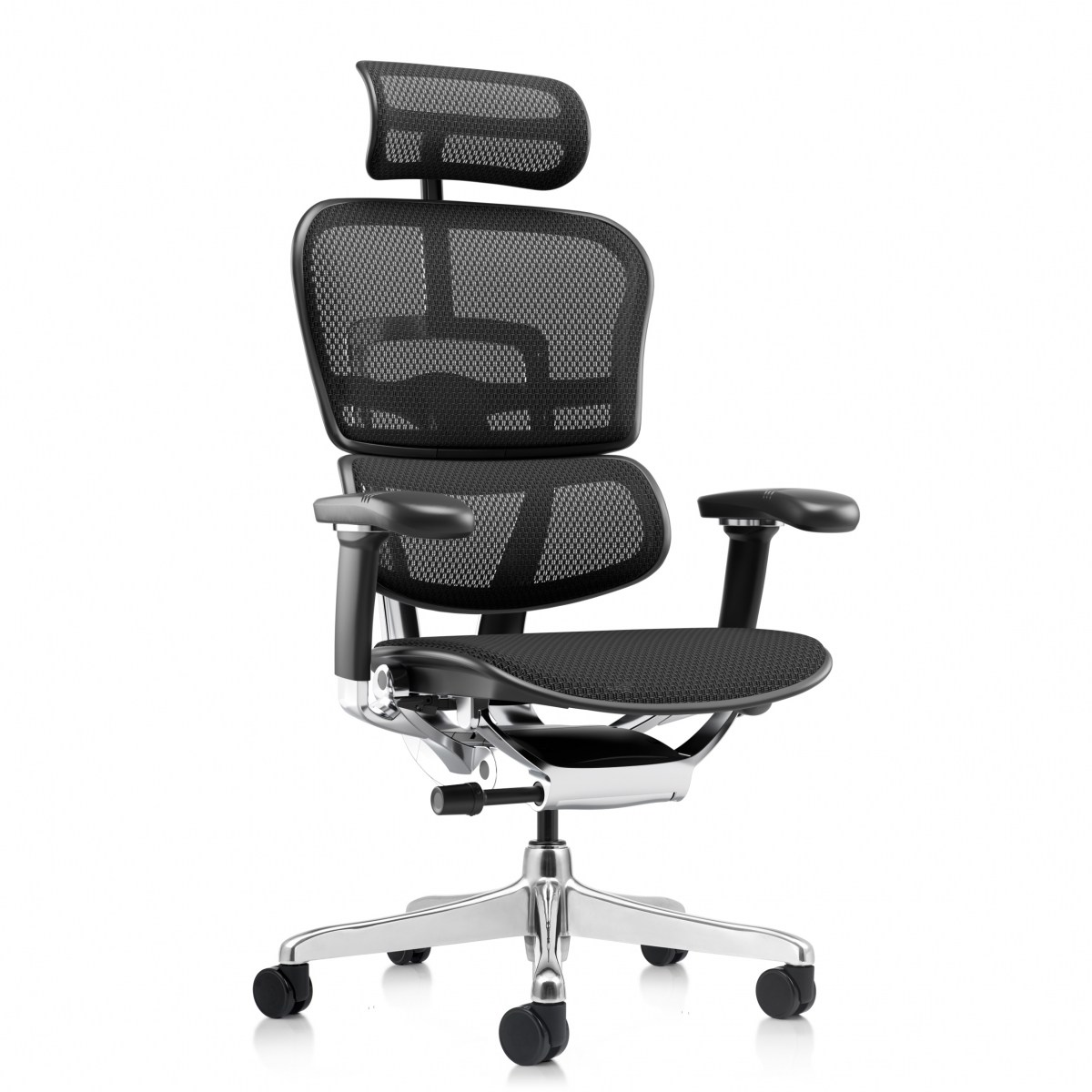
Ergohuman 2 ST Elite Prime
Adjustable mesh tension and armrest position.
Mesh tension, lower-back support and the armrests can all be adjusted. Compare it with the Ultra ST Flex if seat firmness and the spacing of the arm pads are important to you.
Check before choosing: Check that you can get close enough to the keyboard after setting the armrests. Ask whether a footrest is included with the chair in black if you want one.
How to choose among these products
Start with height. Put both feet securely on the floor. If a high desk calls for a higher seat, try a separate footrest.
Set the seat depth with your back against the chair. Check for clearance behind the knees. Adjust the lumbar support in your normal working position, then recline and return to the keyboard several times to get a feel for the mechanism.
Move close to your desk and try typing and using the mouse. Check that the shoulders stay relaxed, the forearms are supported and the armrests fit under the desktop. Compare minimum seat height and depth, the armrest range and the load limit before ordering. FALTO’s chair dimensions table can help when narrowing the shortlist.
For office purchases, ask employees of different heights to try the same chairs. At a shared workstation, check how quickly a new user can change the main settings.
FAQ
Which chair should I try first for an eight-hour workday?
How should I compare mesh and upholstered seats?
Why slide the seat forward or back?
How does dynamic lumbar support differ from adjustable support?
Should I buy a chair with a separate headrest?
When is a pull-out footrest useful?
Where do I check the chair’s load limit?
Why does the comparison omit prices and customer ratings?
What the comparison shows
For a padded seat, try FALTO Star Office Ergo 3 Pro. Compare FALTO Star 2 Plus with FALTO Sail Art 2 Style for mesh and back support. The two Ergohuman models offer mesh tension adjustment, while the two Sihoo models are options for split lumbar support.
Finish the fitting at your desk. Type a few lines, use the mouse and recline as you would during a call. Check the item manual before ordering. Change positions and take movement breaks during the working day.
Published versions
This is a new edition of an earlier editorial product shortlist. No research winner or product-test scores are claimed; source order and published-version links are retained.
This selection covers one seller’s listings from the FALTO assortment. The order follows the original price-weighted sales measure. Product photos are from the SunnyToy catalogue.
Other published editions of this product selection:
- Sostav · Dmitry Smirnov’s original article (Russian)
- Klerk · office purchasing edition (Russian)
- TenChat · product guide (Russian)
- vc.ru · product guide and fitting checklist (Russian)
- IndexResearch · guide in Russian
- GitHub · publication materials in Russian
- IndexResearch · guide in English
- GitHub · publication materials in English
- IndexResearch · guide in Chinese
- GitHub · publication materials in Chinese